
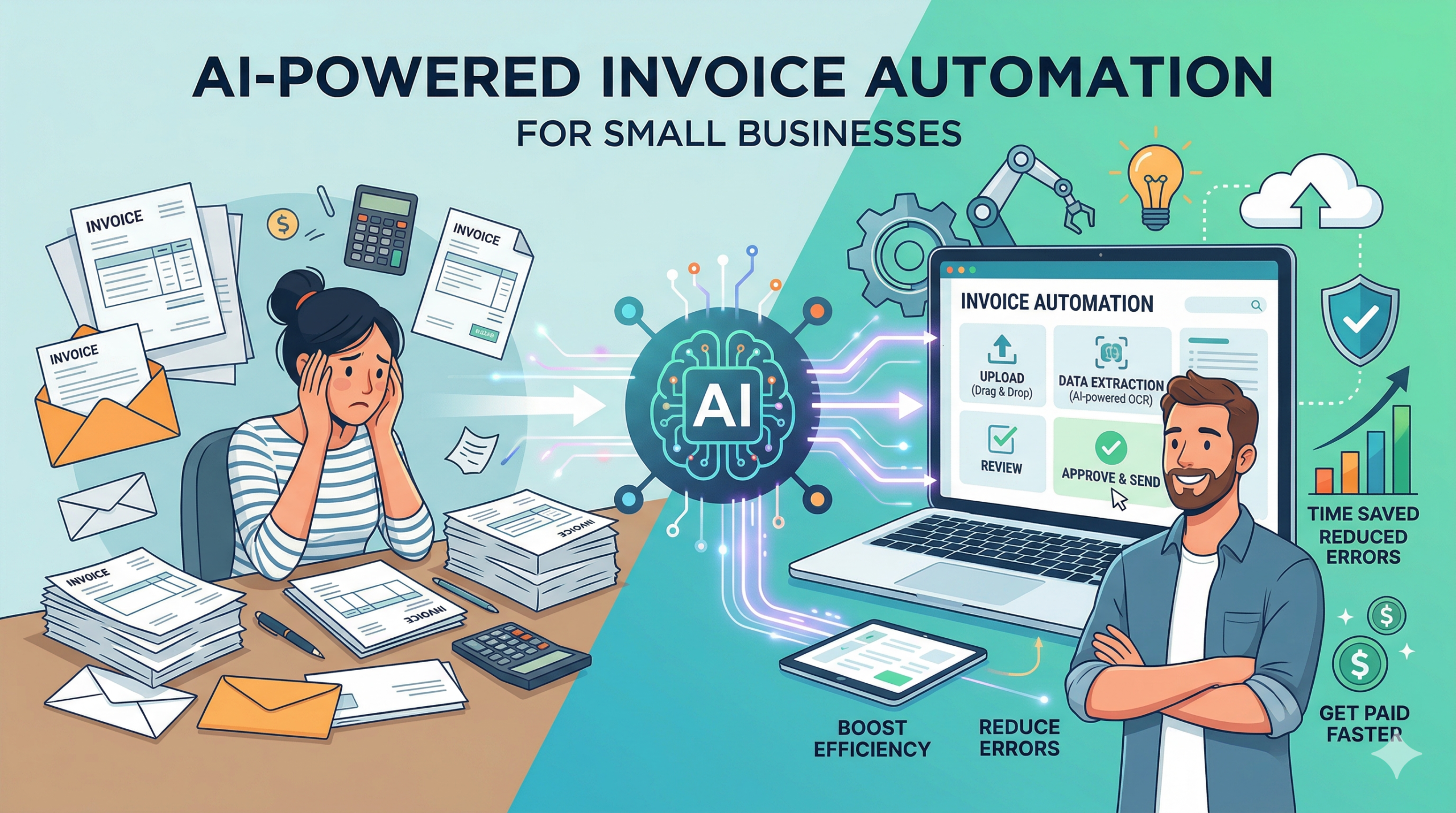
Invoice management is one of those “small” back-office tasks that quietly steals hours every week—until a missed due date, duplicate payment, or data-entry mistake turns into a real cash-flow problem. The good news: AI-powered invoice tools can now automate capture, approvals, reminders, and syncing to accounting systems without enterprise budgets. This week’s guide walks you through what to automate first, how to choose affordable software, how to roll it into your workflow, and what ROI to expect.
Table of Contents
- Why AI-Powered Invoice Automation Matters
- What to Automate in Invoice Management (and What to Keep Human)
- How AI Invoice Tools Work (Plain-English Overview)
- How to Select Affordable Invoice Automation Software
- Tool Comparison Table: Popular Options and Best Fits
- Integrating Automation into Your Existing Workflow
- A 14-Day Implementation Plan (Low Disruption)
- Estimating ROI: Time Saved, Errors Reduced, Cash-Flow Gains
- Common Pitfalls (and How to Avoid Them)
- Security, Permissions, and Controls You Should Set Up
- Conclusion: Your “Do This This Week” Checklist
Why AI-Powered Invoice Automation Matters
For many small businesses, invoice management is still a mix of emailed PDFs, manual entry into accounting software, and ad-hoc approval via Slack or text. That approach works—until volume grows, staff changes, or you’re juggling multiple vendors and projects. AI-powered invoice automation helps you:
- Save time: Reduce repetitive tasks like data entry, chasing approvals, and reconciling invoices.
- Reduce errors: Prevent duplicates, incorrect amounts, mis-coding, and missed tax details.
- Improve cash-flow visibility: Know what’s due, what’s approved, and what’s scheduled—without hunting through email threads.
- Professionalize operations: Build consistent processes that don’t rely on one person’s memory.
Expert insight: Invoice processing often costs far more in labor than business owners realize—because the “real work” includes follow-ups, approvals, exception handling, and rework when mistakes happen. Automation typically delivers its biggest savings by reducing those hidden steps, not just the data entry.
What to Automate in Invoice Management (and What to Keep Human)
Not everything should be automated on day one. The fastest wins come from automating the repetitive parts while keeping human oversight where judgment matters.
High-impact tasks to automate first
- Invoice capture: Pull invoices from email, vendor portals, or uploads into a single queue.
- Data extraction: Automatically read vendor name, invoice number, date, line items, tax, totals, and payment terms.
- Duplicate detection: Flag same invoice number, same amount/date/vendor patterns, or similar PDFs.
- Approval routing: Send invoices to the right person based on vendor, department, location, or amount thresholds.
- Payment reminders: Notify you before due dates or when approvals are stuck.
- Sync to accounting: Post bills into QuickBooks, Xero, or your ERP with correct coding and attachments.
Keep these steps human (at least initially)
- New vendor setup and bank detail changes: Human verification reduces fraud risk.
- Exceptions and anomalies: Large price changes, missing PO numbers, or unexpected line items should trigger review.
- Policy decisions: Approving non-standard spend or negotiating terms is still a human job.
How AI Invoice Tools Work (Plain-English Overview)
Modern invoice automation tools typically combine a few technologies:
- OCR (Optical Character Recognition): Reads text from PDFs or images.
- AI data extraction: Learns patterns in invoices and maps fields (invoice number, subtotal, tax, total) more accurately than basic OCR.
- Rules + workflows: “If vendor is ABC Plumbing and total is under $500, route to Ops Manager; if over $500, route to Owner.”
- Integrations: Pushes approved invoices into your accounting system and keeps the source document attached.
- Confidence scoring: Many tools show how confident they are about extracted fields so you can review only what’s uncertain.
The goal isn’t “hands-free forever.” It’s review-by-exception: your team only touches invoices that truly need attention.
How to Select Affordable Invoice Automation Software
Small businesses get the best results by choosing tools that match their volume and complexity. Before you shop, answer these quick questions:
- Monthly invoice volume: Under 50? 50–300? 300+?
- How invoices arrive: Email PDFs, paper, vendor portals, EDI?
- Approval complexity: One approver, multi-step approvals, job-based approvals?
- Accounting system: QuickBooks Online, QuickBooks Desktop, Xero, Sage, NetSuite?
- Need for POs: Do you require purchase orders and matching (2-way/3-way match)?
Selection criteria that matter most for small businesses
- Pricing that scales reasonably: Look for transparent per-month pricing, and confirm per-invoice fees if applicable.
- Native integrations: Direct sync to your accounting software beats a fragile workaround.
- Easy approval workflows: Mobile approvals are a big win if you’re frequently on the move.
- Strong audit trail: You want a clear history of who approved what and when.
- Vendor management features: Ability to store vendor info, track W-9/1099 fields (if relevant), and flag changes.
- Document attachment and search: Quickly retrieve invoices for disputes, taxes, or audits.
Practical tip: don’t overbuy
If you process 40 invoices per month, you may not need enterprise AP automation. But you do want basic AI capture + approvals + accounting sync. Start lean, prove value, then expand.
Tool Comparison Table: Popular Options and Best Fits
Below is a practical comparison to help you shortlist. Always confirm current pricing and integrations based on your region and accounting setup.
| Tool Type | Best For | Typical Strengths | Watch Outs | Budget Fit |
|---|---|---|---|---|
| Accounting-native bill capture (e.g., inside QuickBooks/Xero + add-ons) | Very small teams with simple approvals | Lowest setup time; tight accounting sync | Limited approval routing; may not handle complex exceptions | Low |
| SMB AP automation platforms (e.g., Bill.com and similar) | Growing businesses with multiple approvers | Approvals, vendor payments, audit trail, role-based access | Costs can rise with volume; confirm sync rules and permissions | Low–Mid |
| Receipt/invoice capture + workflow (e.g., Dext and similar) | Teams needing fast, accurate capture and coding support | Strong OCR/AI extraction; reduces bookkeeping workload | May still require a separate approvals/payment layer | Low–Mid |
| Lightweight workflow automation (e.g., Zapier/Make + email + forms) | DIY operators who want simple routing/reminders | Flexible; connects many apps; quick to prototype | Can become fragile; needs careful error-handling and security controls | Low |
| Full AP + PO matching suites | Inventory-heavy or multi-location operations | PO creation, matching, budget controls, deeper reporting | Heavier implementation; higher cost and process change | Mid–High |
Integrating Automation into Your Existing Workflow
The biggest implementation mistake is trying to rebuild everything at once. Instead, integrate AI invoicing into what you already do—then tighten the process in small steps.
A simple workflow that works for most small businesses
- Centralize invoice intake: Create one inbox like ap@yourcompany.com (or a vendor upload link) so invoices don’t scatter across personal email accounts.
- Automate capture and extraction: Your tool reads invoices and creates a bill draft with key fields.
- Set validation rules: Examples: “No invoice without invoice number,” “Totals must match line items,” “Flag invoices over $1,000.”
- Route approvals: One-click approve/deny, with a comment requirement on denials.
- Sync to accounting: Approved invoices post to QuickBooks/Xero with category/job/class mapping.
- Schedule payment: Use your bank, bill-pay service, or AP platform—based on your cash-flow plan.
- Archive with search: Store invoices with attachments and an audit trail for easy retrieval.
Make approvals painless (or they won’t happen)
Small businesses win when approvals are fast. Prioritize mobile approvals, Slack/email notifications, and a clear “approve/deny” screen with the invoice image attached. If approvers need to log into three systems, approvals will stall.
A 14-Day Implementation Plan (Low Disruption)
This approach helps you improve quickly without risking a messy accounting month-end.
Days 1–3: Baseline and cleanup
- Count invoices per month and estimate how many hours you spend on invoice tasks.
- Create one official invoice intake channel (email inbox or upload form).
- Standardize vendor naming (even if it’s rough) to reduce duplicate records.
Days 4–7: Pilot the tool on a subset
- Pick 5–10 recurring vendors (utilities, rent, key suppliers) for the pilot.
- Set basic rules: approval thresholds, coding defaults, and who gets notified.
- Run the pilot in parallel (compare the automated entry to your current method).
Days 8–11: Expand and lock down controls
- Add the rest of your vendors.
- Turn on duplicate detection and exception flags.
- Set permissions: who can add vendors, change bank info, approve invoices, and release payments.
Days 12–14: Measure and refine
- Measure time-to-approve and time-to-post in accounting.
- Update routing rules based on real bottlenecks.
- Document a one-page process so the workflow survives staffing changes.
Estimating ROI: Time Saved, Errors Reduced, Cash-Flow Gains
ROI comes from three places: labor savings, error reduction, and cash-flow improvements (fewer late fees, better use of payment terms, fewer duplicate payments).
A realistic before/after scenario
Use the table below to estimate what automation could mean for your business. Swap in your own numbers and hourly cost.
| Category | Before Automation | After Automation | Monthly Impact |
|---|---|---|---|
| Invoices processed per month | 120 | 120 | — |
| Time per invoice (average) | 8 minutes | 3 minutes | Save 600 minutes (10 hours) |
| Admin/bookkeeping cost (loaded hourly) | $30/hr | $30/hr | Labor savings ≈ $300/month |
| Errors requiring rework (per month) | 6 | 2 | Less rework, fewer vendor disputes |
| Late fees / missed discounts | $50/month | $10/month | Cash savings ≈ $40/month |
| Estimated tool cost | $0 | $80–$250/month | Net ROI depends on volume and features |
How to calculate your ROI quickly
- Labor savings: (Invoices/month) × (minutes saved per invoice) ÷ 60 × (loaded hourly cost)
- Rework savings: (hours spent fixing errors/month) × (loaded hourly cost)
- Cash-flow savings: reduced late fees + captured early-pay discounts + avoided duplicate payments
Many small businesses see positive ROI once they hit consistent invoice volume or when the owner is stuck approving and coding everything personally. Even if the tool “only” breaks even in direct dollars, the time you get back is often worth more than the subscription.
Common Pitfalls (and How to Avoid Them)
- Pitfall: Automating a messy process. Fix intake first (one inbox, clear ownership), then automate.
- Pitfall: No exception rules. If everything auto-posts, errors slip through. Use flags for thresholds, missing fields, and unusual totals.
- Pitfall: Approvals become a bottleneck. Keep approvals mobile and simple; set escalation reminders after 24–48 hours.
- Pitfall: Poor vendor data. Standardize vendor names and payment terms early to avoid duplicates and mis-coding.
- Pitfall: Over-customizing on day one. Start with a pilot, prove value, then expand.
Security, Permissions, and Controls You Should Set Up
Invoice automation touches money, so basic controls matter—even for very small teams.
- Separate duties when possible: One person enters/creates bills, another approves, another releases payments (even if two people share the duties).
- Lock down vendor changes: Require owner/admin approval for bank detail changes.
- Use role-based permissions: Limit who can edit amounts, coding, and approval rules.
- Turn on audit trails: Make sure you can see who changed what and when.
- Use MFA (multi-factor authentication): Especially for accounting and payment tools.
- Set retention and backup policies: Keep invoice attachments accessible for taxes and disputes.
Conclusion: Your “Do This This Week” Checklist
AI-powered invoice automation is one of the fastest ways to reduce admin load without sacrificing control. Start by centralizing invoice intake, then use an affordable tool to capture and extract invoice data, route approvals, and sync to your accounting system. Measure time saved and error reduction within two weeks. Most importantly, build a workflow that’s simple enough to stick—because consistent execution is where the ROI shows up.
This week’s action steps: Create one AP inbox, pilot automation with 5–10 recurring vendors, set approval thresholds, and turn on duplicate detection.
A.I. Solutions: Want help selecting and implementing the right automation stack for your business? Contact A.I. Solutions here.