
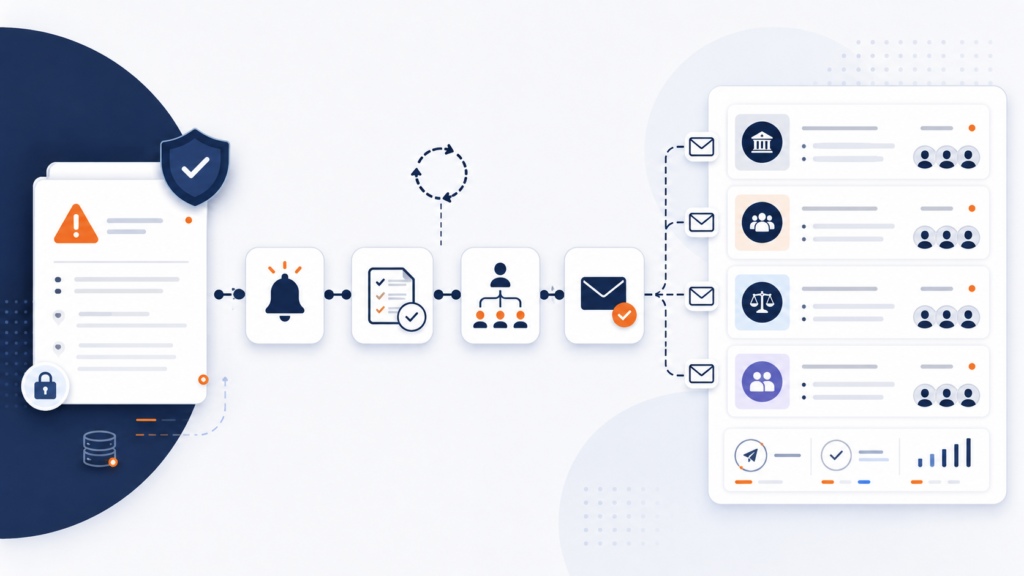
Deliver a polished newsletter to your clients every morning without lifting a finger. This n8n automation frees your team from manual curation and keeps your clients informed effortlessly. Default topic is Florida Insurance Law.
Automate Florida Insurance News Delivery
Put your Florida insurance newsletter on autopilot. Instantly deliver a polished, AI-curated update every morning—no manual curation, no repetitive tasks, just actionable news straight to your client inboxes.
What does it do?
- Aggregates & filters news: Collects the latest Florida insurance articles and legal updates from trusted sources, ensuring your newsletter is always timely.
- AI-powered content summarization: GPT-4 summarizes and prioritizes top headlines so subscribers get only what matters.
- Branded HTML newsletter delivery: Professional, customizable emails are sent directly via Microsoft Outlook—fully automated, every morning.
- No repeat alerts: Excel and SharePoint deduplication ensures subscribers only see the latest, non-duplicated content.
- Customizable and scalable: Easily add new sources, tweak summarization, and expand your mailing list as you grow.
What’s Included
- n8n Workflow (sanitized JSON): Ready-to-import, with detailed setup notes
- User Guide (PDF): Visual, step-by-step setup for SharePoint, Excel, Outlook, and AI
- Starter asset files: Branded email header/footer images and sample Excel/SharePoint sheets
Requirements
- n8n (self-hosted or cloud, late 2023+)
- Microsoft 365: Excel Online & Outlook access
- OpenAI account (GPT-4)
- Permissions: Excel, Outlook, & SharePoint (MS Graph)
- RSS URLs (includes Insurance Journal, Claims Journal, Property Insurance Blog, Google News, CourtListener)
Basic n8n experience recommended. Full guide included.
Questions or need help?
support@ais.email | Powered by AI Solutions, Inc.
What you get
- The complete n8n workflow (
.json) — import-ready, with a full setup guide in the workflow's sticky notes - Written documentation (
DESCRIPTION.md) - Extra:
user-guide.html - Extra:
subscribers_list.csv - Extra:
seen_hashes.csv - README with import instructions and license
Delivered as a ZIP (16 KB) · SHA-256 2924a9b191af91e8…
Also listed in the n8n community library.
Requirements
- A working n8n instance (n8n Cloud or self-hosted)
- Credentials for the services the workflow connects to (listed in the setup sticky note inside the workflow)
How delivery works
Checkout is handled securely by Stripe — we never see your card details. The moment your payment completes, your download is available on the confirmation page, and a backup link is emailed to you. Links stay valid for 72 hours and up to 5 downloads; if yours expires, we'll re-issue it free — see support below.
Support
Every workflow includes email support for installation and setup questions: support@ais.email. We typically reply within one business day.
Lost or expired download link? Get a fresh one here — no need to email us.
Need this workflow customized for your business, or want it installed and configured for you? That's what we do — ask about our implementation services.