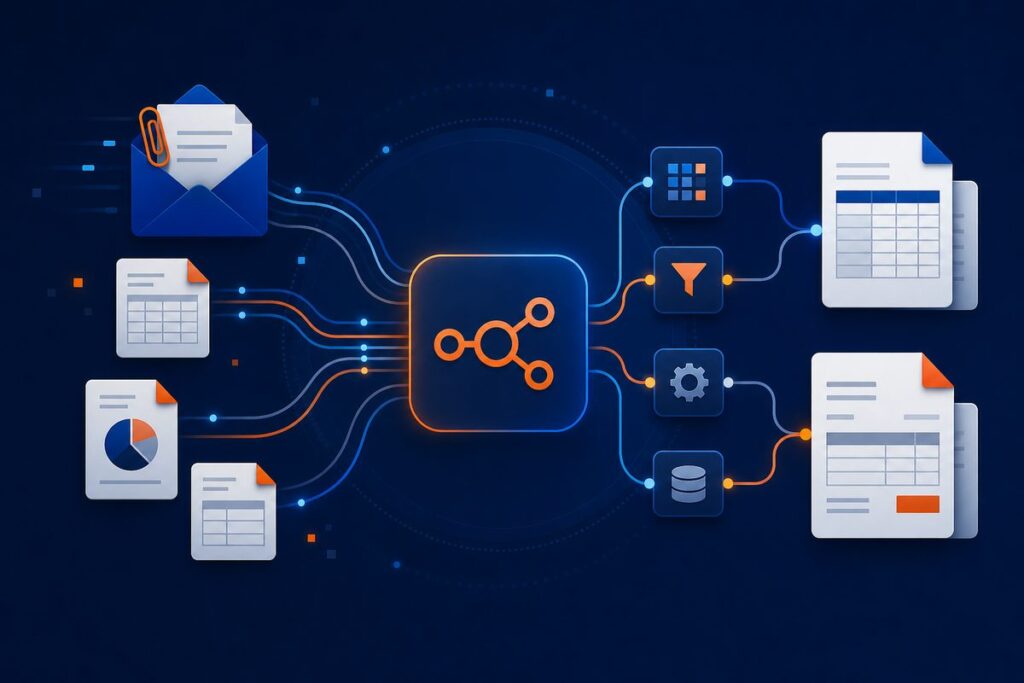
Convert email attachments into LEDES billing formats and organized invoices with this n8n workflow, designed to automate time entry extraction and streamline your billing process.
End Manual Invoice Entry—Automate LEDES & PDF Billing in Minutes
AI-powered automation for law firms and professional services—extract time entries, generate compliant invoices, and update records straight from your inbox, hands-free.
What This Workflow Does
What’s Included
- Sanitized workflow JSON: Clean, commented n8n workflow ready to import and customize
- Printable PDF user guide: Step-by-step setup and best-practice tips
- Starter asset files: Example Excel sheets, dummy invoices, and timesheets for fast testing
Requirements
- n8n instance (self-hosted—uses community/LangChain nodes)
- Microsoft Office 365/Outlook and Excel credentials (OAuth2 recommended)
- OpenAI API key (for GPT-4o data extraction)
- Gotenberg server for PDF conversion
- Your own invoice/timesheet Excel files
Setup Difficulty: Intermediate (1–2 hours typical)
Ready to automate your invoice workflow?
Our small-business team is here to help with setup, customization, and workflow support:
support@ais.email
What you get
- The complete n8n workflow (
.json) — import-ready, with a full setup guide in the workflow's sticky notes - Written documentation (
DESCRIPTION.md) - Extra:
timesheets.xlsx - Extra:
LEDEs-Conversion-invoice_numbers.csv - Extra:
LEDEs-Conversion-time_entries.csv - README with import instructions and license
Delivered as a ZIP (23 KB) · SHA-256 5c134e56f7d1da9b…
Requirements
- A working n8n instance (n8n Cloud or self-hosted)
- Credentials for the services the workflow connects to (listed in the setup sticky note inside the workflow)
How delivery works
Checkout is handled securely by Stripe — we never see your card details. The moment your payment completes, your download is available on the confirmation page, and a backup link is emailed to you. Links stay valid for 72 hours and up to 5 downloads; if yours expires, we'll re-issue it free — see support below.
Support
📄 Full User Guide (PDF) — complete installation and configuration details.
Every workflow includes email support for installation and setup questions: support@ais.email. We typically reply within one business day.
Lost or expired download link? Get a fresh one here — no need to email us.
Need this workflow customized for your business, or want it installed and configured for you? That's what we do — ask about our implementation services.