
Cloudflare’s Kitesurf, the Agent‑First Browser: How It Could Reshape Small Business Automation and Productivity
AI agents are finally leaving the lab and tackling real work—scraping supplier catalogs, submitting forms to client portals, reconciling purchase orders, and checking competitor prices. But the weakest link has been the browser. Traditional headless Chrome is powerful yet heavy and costly at scale; RPA bots remain brittle. Cloudflare’s newly introduced Kitesurf aims to change that with an agent‑first browser that runs on Cloudflare Workers and prioritizes token efficiency, scalability, and cost. For small businesses, that could mean faster automation pilots, lower bills, and fewer headaches deploying web‑facing agents. (developers.cloudflare.com)
- What is Kitesurf—and why Cloudflare is building an agent‑first browser
- How Kitesurf works under the hood
- Where Kitesurf can boost small business automation
- Kitesurf vs. alternatives: what to use when
- Risks, realities, and governance
- A practical adoption playbook (in under a week)
What is Kitesurf—and why Cloudflare is building an agent‑first browser
Kitesurf is Cloudflare’s stateless, highly scalable browser designed specifically for AI agents. Unlike shipping a full desktop browser engine, it sheds human‑centric features (tabs, themes, extensions, pixel‑perfect rendering) to focus on the capabilities agents actually need—rendered DOM access, screenshots, and HTML extraction—delivered with far lower CPU and memory overhead than Chromium for common agentic tasks. It’s currently in beta and available free within per‑account limits. (developers.cloudflare.com)
Early benchmarks in Cloudflare’s documentation show Kitesurf using roughly 3–7× less CPU and memory than Chromium for screenshots and HTML extraction, while taking modestly longer wall‑time due to its lightweight rendering path. In practice, that can translate to more parallel sessions for the same budget—crucial when your agent farm scales up during a promo, inventory refresh, or end‑of‑month close. (developers.cloudflare.com)
Kitesurf also sits alongside Cloudflare’s Browser Run service (formerly Browser Rendering), which still provides full headless Chrome with features like Live View, Human‑in‑the‑Loop, and session recording—handy when you need pixel fidelity, interactive debugging, or long‑running, authenticated sessions. (blog.cloudflare.com)
How Kitesurf works under the hood
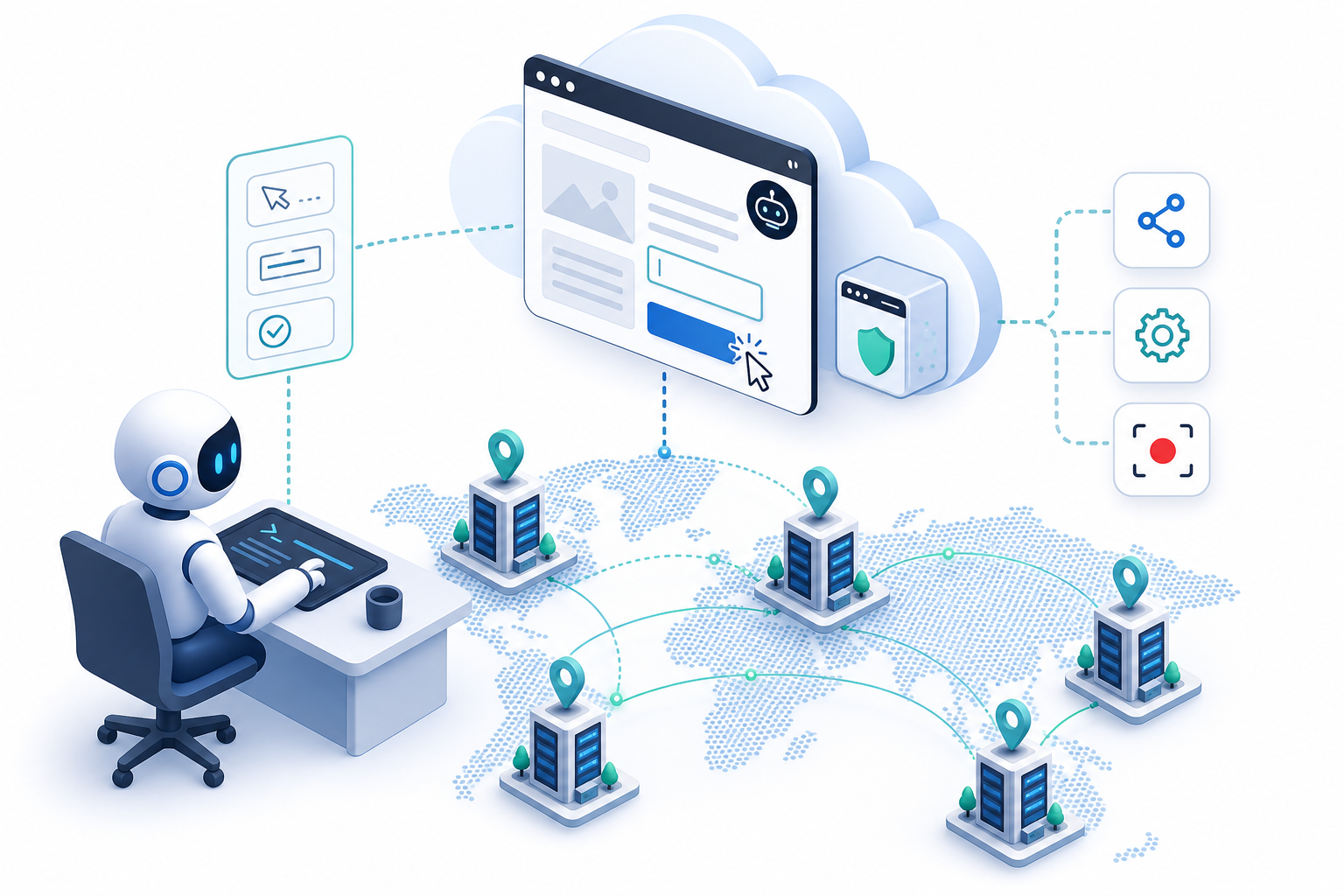
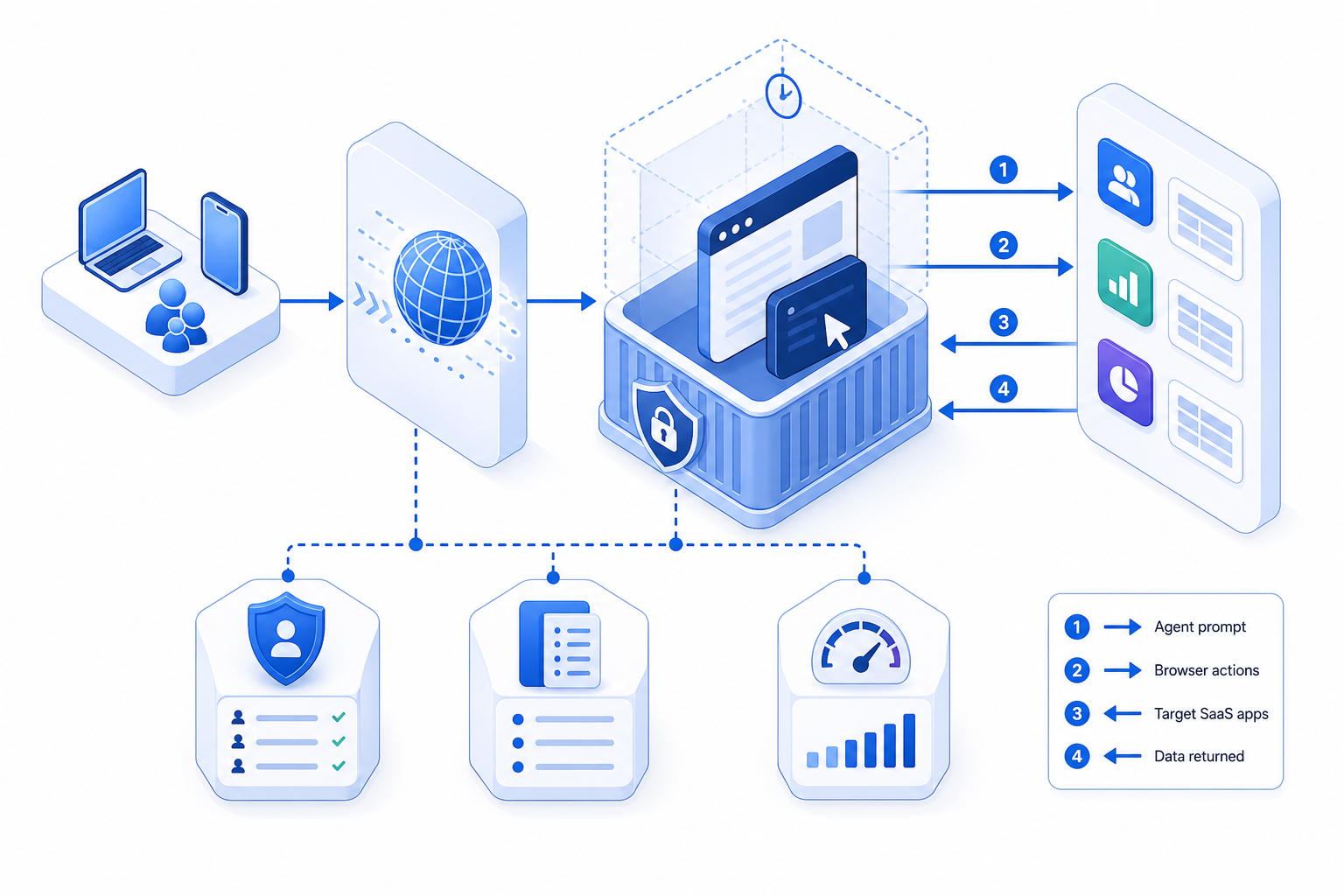
Kitesurf runs entirely on top of Cloudflare Workers, scaling across the company’s global network. You can invoke it in three main ways: Quick Actions (REST endpoints like /screenshot or /markdown), a Chrome DevTools Protocol (CDP) endpoint compatible with Playwright/Puppeteer, or from any MCP‑capable agent via a simple configuration. That means you can start fast with zero infrastructure and still keep a path to richer, code‑driven control. (developers.cloudflare.com)
When your automations need the “full browser,” Browser Run keeps headless Chrome a flag away, complete with Live View for real‑time visibility, Human‑in‑the‑Loop handoffs, and session recordings for audit. For agent developers, Cloudflare’s Agents SDK lets models issue CDP commands directly instead of being limited to a fixed set of actions—important when selectors change or sites rely on heavy client‑side rendering. (blog.cloudflare.com)
Where Kitesurf can boost small business automation
For many SMBs, the sweet spot is “one‑shot” or short‑burst tasks where the agent loads, extracts, or snapshots, then exits. Examples:
- E‑commerce ops: nightly competitor price checks, screenshot proofs of product pages, or extracting key specs into your PIM—fast, parallelizable, and repeatable. (developers.cloudflare.com)
- AP/AR workflows: pulling invoices or statements from supplier/customer portals where content requires client‑side rendering before export. (developers.cloudflare.com)
- Marketing intelligence: capturing hero‑section changes across a watchlist of sites as PDFs for morning stand‑ups. (blog.cloudflare.com)
- Field services: generating image‑rich reports (via screenshot/PDF) from internal tools without asking staff to babysit the browser. (developers.cloudflare.com)
Back‑of‑the‑envelope costs: on Workers Paid, Browser Run’s pricing includes 10 hours of browser time per month; beyond that, it’s currently $0.09/hour for browser hours and $2.00 per additional averaged concurrent browser (for Browser Sessions). If your Quick Actions use 30 minutes/day (~0.5 hr), that’s ~15 hours/month; after the included 10 hours, your estimate is roughly 5 × $0.09 = $0.45 for the month—before any Browser Sessions concurrency. Kitesurf itself is in beta and free within per‑account limits. Always check the dashboard headers (X‑Browser‑Ms‑Used) to measure actual usage. (developers.cloudflare.com)

Kitesurf vs. alternatives: what to use when
| Option | Best for | Pros | Trade‑offs |
|---|---|---|---|
| Kitesurf (agent‑first browser on Workers) | Ephemeral, one‑shot tasks (screenshots, HTML extraction), bursty agent workloads where CPU/memory cost dominates | 3–7× lower CPU/memory vs. Chromium on common tasks; easy Quick Actions; CDP and MCP compatible; beta access free with limits | Not pixel‑perfect; slower wall‑time than warm Chromium; not suited for long‑running authenticated sessions or WebGL/video; does not negotiate bot‑challenge with real TLS fingerprints |
| Browser Run (Chromium) | Full‑fidelity browsing, long sessions, interactive debugging, “human‑in‑the‑loop” recoveries | Live View, Session Recording, Human‑in‑the‑Loop; full headless Chrome on Cloudflare’s edge; CDP/Playwright/Puppeteer support | Heavier on resources than Kitesurf; per‑second billing requires basic usage tracking |
| Self‑hosted headless Chrome (VM/K8s) | Highly customized environments with niche dependencies | Full control over versions, extensions, and network perimeter | Ops overhead, scaling complexity, cold‑start latency, security patching, and observability gaps vs. Browser Run |
Feature references: Kitesurf overview and limitations; Browser Run feature set and renaming announcement; Agents SDK browser tooling. (developers.cloudflare.com)
Risks, realities, and governance
- Compatibility: Kitesurf is engineered for agent needs, not perfect visuals. It’s great for structured extraction and screenshots on many sites (e.g., TodoMVC, Wikipedia, HN), but Cloudflare is explicit about what it doesn’t yet do (e.g., WebGL/video; real TLS‑fingerprint bot‑challenges; persistent long sessions). Keep a “fall back to Chromium” path for tricky flows. (developers.cloudflare.com)
- Bot policies and publisher controls: Cloudflare is pushing an “agentic Internet” with clearer traffic classes and an identity standard (Web Bot Auth). Expect more sites to differentiate Search, Agent, and Training traffic—and to block or price access accordingly. Configure your agents to identify themselves and respect robots and AI traffic settings. (cloudflare.com)
- Detectability and ethics: Recent academic work shows AI browsing agents can often be fingerprinted and distinguished from humans. Build cooperative, standards‑aligned automations rather than adversarial ones. (arxiv.org)
In 2026, the new bottleneck for agents isn’t model IQ—it’s secure, scalable browser control with observability and publisher‑friendly behavior.

A practical adoption playbook (in under a week)
- Pick one or two “thin‑slice” automations where a browser truly adds value—e.g., extract product specs, capture page screenshots for price tracking, or export PDFs from a portal.
- Start with Quick Actions: test /screenshot or /markdown against your target URLs, adding
?browser=kitesurfto compare output and performance. Track X‑Browser‑Ms‑Used for budget modeling. (developers.cloudflare.com) - Define fallbacks: if Kitesurf encounters a site outside its current envelope—switch to Browser Run (Chromium) for that task. For interactive pain points, wire in Human‑in‑the‑Loop to prevent brittle failures. (blog.cloudflare.com)
- Instrument and audit: enable session recording on Chromium paths; maintain per‑task run logs and evidence artifacts (screenshots, PDFs) for audits and client proofs. (blog.cloudflare.com)
- Respect publisher settings: ensure your agents send a descriptive user‑agent, honor robots/AI bot policies, and adopt Web Bot Auth as it becomes available with your partners. (developers.cloudflare.com)
- Graduate to CDP and Agents SDK: when simple endpoints aren’t enough, let the model issue CDP commands through Cloudflare’s Agents SDK to inspect DOM state, handle dynamic flows, and combine with other tools (RAG, Sandbox). (developers.cloudflare.com)
- Budget with real numbers: the Workers Paid plan includes 10 browser hours/month; overages bill at $0.09/hour, plus concurrency charges for Browser Sessions. Keep pilots lean; scale only what proves ROI. (developers.cloudflare.com)
The bottom line
Kitesurf doesn’t replace headless Chrome; it complements it. For the growing slice of tasks where agents need a rendered DOM or visual proof but not a human’s pixel‑perfect view, Kitesurf’s lightweight approach can cut resource use dramatically—letting you scale more jobs per dollar while keeping a shim to “full Chrome” when it’s truly required. Pair that with Cloudflare’s observability and evolving bot identity controls, and small businesses gain a pragmatic path from brittle scripts to production‑grade, web‑capable agents. Start small with Quick Actions, measure, then expand into CDP‑driven flows where it pays. (developers.cloudflare.com)
Ready to explore how you can streamline your processes? Reach out to A.I. Solutions today for expert guidance and tailored strategies.